contact us

We'd love to hear from you - just enter your email address and a note and we'll respond within 24 hours.

5501A Balcones Dr #312
Austin, TX 78731
United States

5129708204

Inkscreen helps government and enterprise customers securely capture and manage content. CAPTOR has been called a “camera app on steroids wearing a bulletproof vest”, combining photo, video, and audio capture with full document scanning, encrypted containerized storage, and IT controls to manage how content is created, stored, and shared. 

Blog


CAPTOR Enhanced Search Now Leveraging the Power of OCR and Speech Recognition

Josh Bohls

With the introduction of CAPTOR iOS v3.6.4, Enhanced Search now uses both Optical Character Recognition (OCR) and Speech Recognition technology to enable users to quickly find relevant content with a simple text search. The Search feature now spans audible words spoken in videos and audio recordings, as well as any text/words detected in photos and documents.

The OCR process for photos and documents always occurs on the device, allowing the content to remain in the secure managed container at all times. Because the data is guaranteed to remain in the container, we have enabled OCR processing automatically for all customers (you do not have to specifically enable it by an app configuration). This feature is supported for all of the current CAPTOR localization options, including English, Spanish, French, Italian, Dutch, and German.

The app uses OCR to find any visible text within photos or documents, and allows that text to be searchable. For example, if you took a picture of someone standing at an intersection and the street sign was visible in the background, you would be able to find that photo later by searching for the street name. Similarly, you might be able to find all scanned documents and PDFs that mention a specific client or project name, for example.

The Speech Recognition process essentially creates a transcript of any audio and video recording. This feature has been engineered to primarily occur on the device, allowing the data to remain in the container, however, Apple does not guarantee that this will always be the case. Therefore, we released this feature as a double opt-in. In other words, first the IT Admin of your EMM platform must enable the feature by adding a new app configuration “allowspeechrecognition” with value “True” (or for BlackBerry, by checking the box to “Enable Speech Recognition”). Secondly, the end user will be asked whether to grant CAPTOR permission to use Speech Recognition. Only when both of these factors are satisfied will the app begin processing audio and video files for Enhanced Search.

When Speech Recognition is enabled by policy and granted permission by the app user, CAPTOR will begin processing all audio and video recordings to be searchable by the audio transcripts. For example, if you use CAPTOR to record voice memos, and want to find the memo where you mentioned a specific subject, you would be able to type in the subject and quickly identify the audio recording. Similarly, a video could be located by simply typing in a word that was said during the recording.

For all existing customers, when you first launch CAPTOR v3.6.4 there will be a new button on the home screen asking you to “Upgrade your files”. Tap this option to allow the app to process your existing files. You can start and stop this process as time allows, and as soon as all content has finished processing the button will disappear.

CAPTOR Enhanced Search is now available for all supported iOS devices running iOS 13 and 14. We will be adding the same search capabilities to our family of Android apps over the next few months.

As always please share comments and questions through our support page.

3 Ways Inkscreen Helps to Prevent Software Supply Chain Attacks

Josh Bohls

The SolarWinds SUNBURST breach has turned a spotlight on all software vendors, Inkscreen included, and how the industry handles the complicated business of software development and maintenance. We take our customers trust very seriously, and since the inception of our Company we have taken measures to ensure that we are never the weak link in their web of critical software systems. Here are a few things we do to maintain your trust.

1) Veracode. We have partnered with Veracode since 2014 to run regular scans of our applications to check for any potential vulnerabilities. We have consistently maintained a score of 99 or 100, earning us the “Veracode Verafied” designation. This extra step adds significant time to our release schedule and the service represents a large cost to our operation, however it allows us to publish software updates with a high level of confidence that we are not introducing some kind of threat to our customers.

2) No development shops. Outsourcing software development to big offshore or near-shore development shops is extremely common and can save a publisher a great deal of money. The problem with this approach is that you have very little control over who is actually contributing to your codebase, and this makes us uncomfortable. We do outsource some of our work, but only when we can work directly with the individuals working on the project. This is not an indictment to using outsourced dev teams, it’s just not the way we do business.

3) Background checks. This leads me to the third and final point. We run detailed background checks on everyone who contributes to our application development efforts and we have done so since 2013.

We know we are still at risk of making mistakes, but we have always and will always place a strong priority on ensuring the software we release to the world does not harm to our customers or introduce risk to their data and operations.

CAPTOR 3.6.3 (iOS): Enhanced OCR Search

Josh Bohls

Welcome to 2021! We are kicking off the new year with the release of our new enhanced “smart” search function. Beginning with CAPTOR iOS release version 3.6.3 the search function can now be used to find content containing any recognizable text. Initially the app will be processing photos and scanned documents, and future releases will bring search capabilities to video and even audio recordings.

IMG_6903.jpg
File Upgrade

If you are an existing CAPTOR user, after you upgrade the app to v3.6.3 you’ll see a new button on the home screen prompting you to allow the app to process your existing files for this new search capability. The process could take a few seconds or a few minutes depending on how many files you have saved in the CAPTOR app. You are able to pause the process and finish it later without problem. As soon as that process is complete, the button on the home screen will disappear, and your existing documents and photos will now be searchable by any text the app was able to detect.

IMPORTANT: The optical character recognition (OCR) process only occurs on the device. Your content is not being transferred, stored, or processed on any external servers.

For new users and any new captured photos or documents scanned with 3.6.3, this process will occur automatically and silently in the background. In other words, you will not need to tap a button to process or upgrade new files and content for it to become searchable.

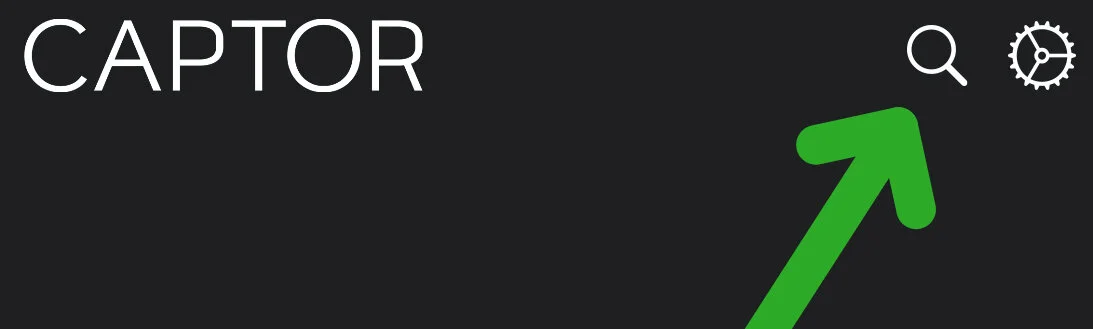
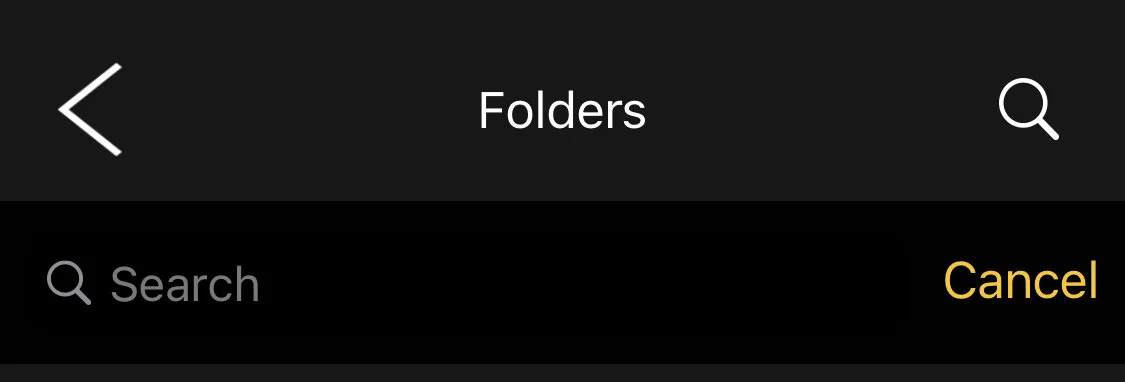
We encourage you to try out the new search capabilities by scanning a document or taking a picture of something with clear text on it. Then, tap the Folders button, and then the Search button. Enter some of the text from your document or photo and you should see the content in the search results.

Search Button

CAPTOR Search will still display results that match text found in the following aspects of the CAPTOR content:

  • File name. The actual name given to the content is searchable and included in results.

  • Folder name. The name of any folder you create is included in search results.

  • Text Label Annotations. Any text label annotations are searchable and included in results.

  • Media Notes. Any notes added to content by tapping the (i) button while previewing content are searchable and included in results.

  • NEW! Text in Photos & Documents. CAPTOR now runs an OCR process on all documents and photos and search results will now encompass any text found within the content.

Search Results

Please note, the enhanced search is currently only functional within the CAPTOR app. Shared or backed-up content will not retain the enhanced OCR search features.

We will continue to improve and expand CAPTOR Search capabilities. Please share comments and feedback through our Support page.