contact us

We'd love to hear from you - just enter your email address and a note and we'll respond within 24 hours.

5501A Balcones Dr #312
Austin, TX 78731
United States

5129708204

Inkscreen helps government and enterprise customers securely capture and manage content. CAPTOR has been called a “camera app on steroids wearing a bulletproof vest”, combining photo, video, and audio capture with full document scanning, encrypted containerized storage, and IT controls to manage how content is created, stored, and shared. 

Blog


CAPTOR (iOS) v4.0.6 Release Notes

Josh Bohls

This month we released CAPTOR (iOS) v4.0.6. This is a packed release! Let’s dive into the details:

Pause & Restart Audio Recording.

CAPTOR users can now pause audio recordings. This comes in handy if you are recording a meeting that is interrupted, or if you have a section of audio you want to omit from the recording.

Simply tap the Pause button that appears once you start the recording. Even though the recording is paused, the app will maintain an active session and prevent the device from going to sleep.

To restart the recording, tap the Play button. You will immediately see the timer and the visual waveform restart.

To finalize and end the recording, tap the red circle and wait for the thumbnail to generate in the lower left corner of the screen.

If you want to trim the beginning or end of the audio recording, tap the thumbnail and then tap the Trim button. When you finish trimming, tap Save and select to either Trim Original or Save as a New Clip.

Pro Tip: From the audio playback screen, tap the Info button to find the transcript of the recording. You can copy and paste this transcript to other managed apps.

This release also includes two new app config options. If you are the IT Administrator of CAPTOR, please consider adding these configurations:

Backup PDF Page Size. CAPTOR now supports setting US or European standard document aspect ratios for documents processed through the backup service. The app has always supported this in the normal sharing process - an app user could select US Letter, for example, when sharing/exporting a document to attach to an email. The resulting document is better formatted for printing and viewing. If the config is set to “US”, the system will apply either US Letter or US Legal aspect ratios based on the general dimensions of the page. If the config is set to “EU”, the system will apply A4 or A5 aspect ratios. For all UEM systems that utilize key/value pairs, the key is “backuppdfpagesize” with value “us” or “eu”. For Blackberry UEM, the new configuration will appear in the Backup tab of the app configuration.

Watermark Time/Date Stamp. CAPTOR now supports adding a time and date stamp to the watermark on photos and document pages. This time stamp indicates when the content was originally captured, and would appear diagonally beneath the existing watermark.

To enable this feature, you must already have the watermark configured. For key/value pair configurations, enter key “watermarktimedate” with value “True”.

For BlackBerry administrators, this config will appear beneath the existing Watermark configuration.

Finally, this release includes the following changes:

SMB Backups: Improvements to SMB backup validation, stability, and error handling.

Microsoft InTune App Protection Policy Adherence: Some combinations of app protection policies created conflicts in how CAPTOR handled content sharing, copy/paste, etc. This is now resolve.

EMM SDK Updates: CAPTOR for BlackBerry now integrates BlackBerry Dynamics SDK v10.2.0.82. CAPTOR for InTune now integrated Microsoft InTune SDK v16.0.3.

New Start-up Experience: New users will now be presented with a welcome screen explaining how CAPTOR is managed by their company’s IT department, with links to help guides and support contacts.

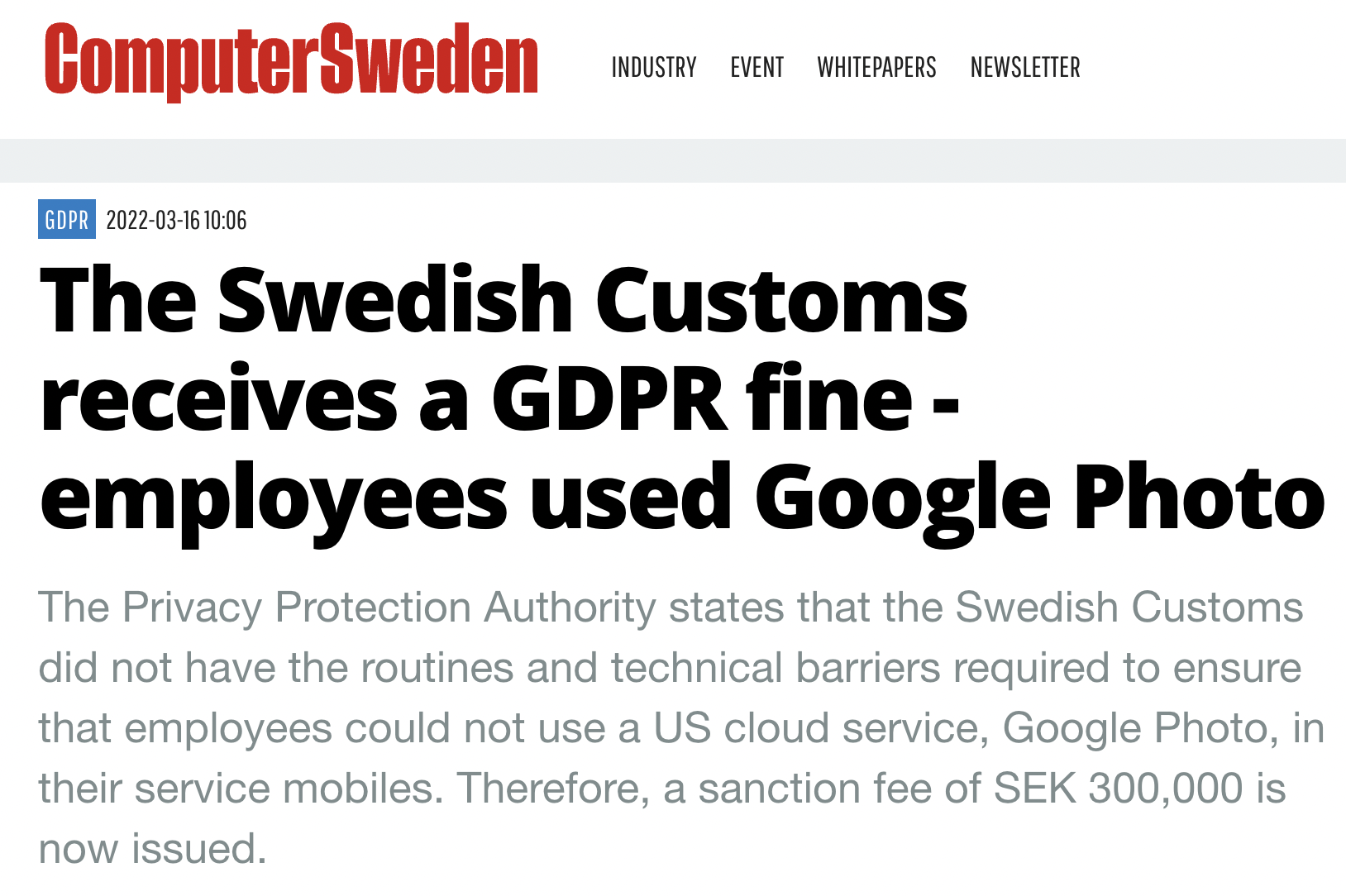
Swedish Customs receives a GDPR fine stemming from employees use of Google Photo

Josh Bohls

Earlier this year the Swedish Customs service, Tullverket, was issued a SEK 300,000 fine by the Privacy Protection Authority for GDPR violations stemming from employees’ inappropriate use of Google Photos.

As far as we can tell the employees were not doing anything malicious. In fact, they were simply trying to do their jobs and remain productive. They likely found Google Photos to be an easy way to store and share photos, and since the organization did not provide restrictions on the service, or better provide a secure managed alternative service, the employees took matters into their own hands.

This fine equates to around USD $29,000 or EURO €28,000, and more importantly opens the door for further investigations into IT policies and privacy practices of the Customs service.

The CAPTOR solution would have been an ideal way to avoid these sanctions. CAPTOR is deployed as a managed camera app, with detailed controls on what employees can do with the photos they capture at work. An organization can set up their own private photo storage servers and avoid having any of the content drifting unprotected in the cloud or found on US-based servers. Additionally, IT could impose guardrails on how the photos and other captured content can be shared, restricting to certain apps or attachments to only corporate email accounts.

If your organization is subjected to privacy laws such as GDPR, or subjected to other regulatory guidelines on how photos are managed, please request a free trial of CAPTOR and we can work together on a solution.

CAPTOR for InTune now available for iOS and Android

Josh Bohls

Inkscreen, experts in secure content capture for enterprise and government customers, today introduced CAPTOR™ for Microsoft Intune, enabling organizations employing the popular Microsoft Intune mobile device and operating system to simplify the governance, risk management and compliance (GRC) of business content captured on employee devices. 

CAPTOR for Microsoft Intune is the latest iteration of the leading secure camera and multi-media content capture solution used by organizations to manage and govern sensitive images, scanned documents, and multi-media content - an important concern both for regulatory compliance and intellectual property protections. 

CAPTOR is especially helpful with organizations supporting remote workers, telecommuters, and work-from-home (WFH) employees because the user experience is so similar to that of native apps, allowing for easy adoption and understanding of key productivity features such as scanning documents, taking pictures, recording audio and video, and annotating documents and photos.  

Inkscreen’s managed mobile capture solutions are particularly popular in regulated environments, because they support a wide range of policies and controls to protect sensitive corporate data. Healthcare, financial services, legal, law enforcement, government, utilities, construction, etc., and innovation environment (such as automotive and product engineering/design) where intellectual property is at stake, are among sectors where CAPTOR is the de facto standard for secure content capture.

Inkscreen recently introduced CAPTOR Compliance – a new feature that logs and reports on potential attempts to violate container and data leakage prevention (DLP) policies set in the organization’s Enterprise Mobility Management (EMM) platform, often referred to as insider threats.

More and more environments are embracing Microsoft Intune, particularly given the surge in employees working from home and increased reliance on content captured on employee devices. CAPTOR for Microsoft Intune gives organizations and employees the friction-free, user-intuitive protections to help ensure compliance with established EMM policies and regulatory requirements such as CCPA and GDPR.

CAPTOR For Microsoft Intune - Key Features: 

  • Scan multi-page documents with smart edge detection, edit, annotate, and save as PDF (supports creation of PDF 1.3, 1.4, 1.5, 1.6, 1.7, and PDF/A subtypes).

  • Capture high resolution photos and videos.

  • Record ambient audio.

  • Annotate photos and documents with arrows, drawings, highlighters, and text labels.

  • Informative captions can be automatically applied to photos.

  • Backup content from employee devices to a network drive or server using WebDAV or SMB.

  • IT policies to enforce authentication, PDF version, Open In, default browser, file naming, etc.

  • Capture content even in situations with no connectivity.

  • Encrypted data container protects content and enables IT administrator to wipe data if device is lost or stolen.

  • Completely separate work content from personal to support BYOD/COPE, and enabling personal privacy (GDPR compliance). CAPTOR is used to solve complex use cases in industries such as healthcare, legal, government, law enforcement, insurance, construction, and financial services

"Organizations everywhere depend on Microsoft Intune to let employees work in the Microsoft 365 environment on the devices they choose. Especially given the rise in WFH employees, the ability to enforce secure mobile content capture is crucially important to business continuity and regulatory compliance,” said Josh Bohls, CEO, Inkscreen.  “CAPTOR for Intune helps organizations ensure the integrity, security, privacy and appropriate management of their proprietary data captured on BYOD mobile devices.” 

Learn more: https://www.inkscreen.com/microsoft

Request a trial: https://www.inkscreen.com/trial